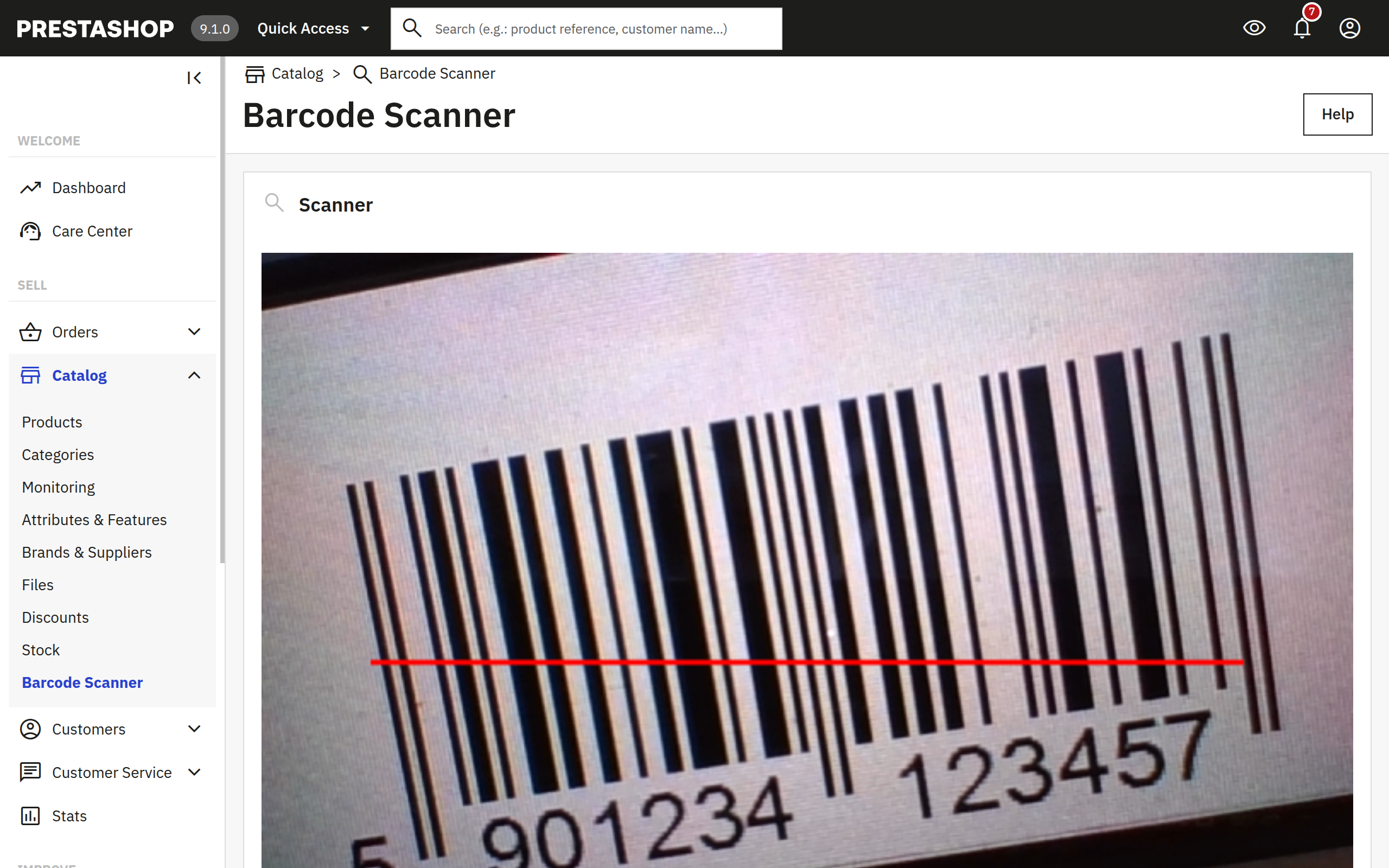
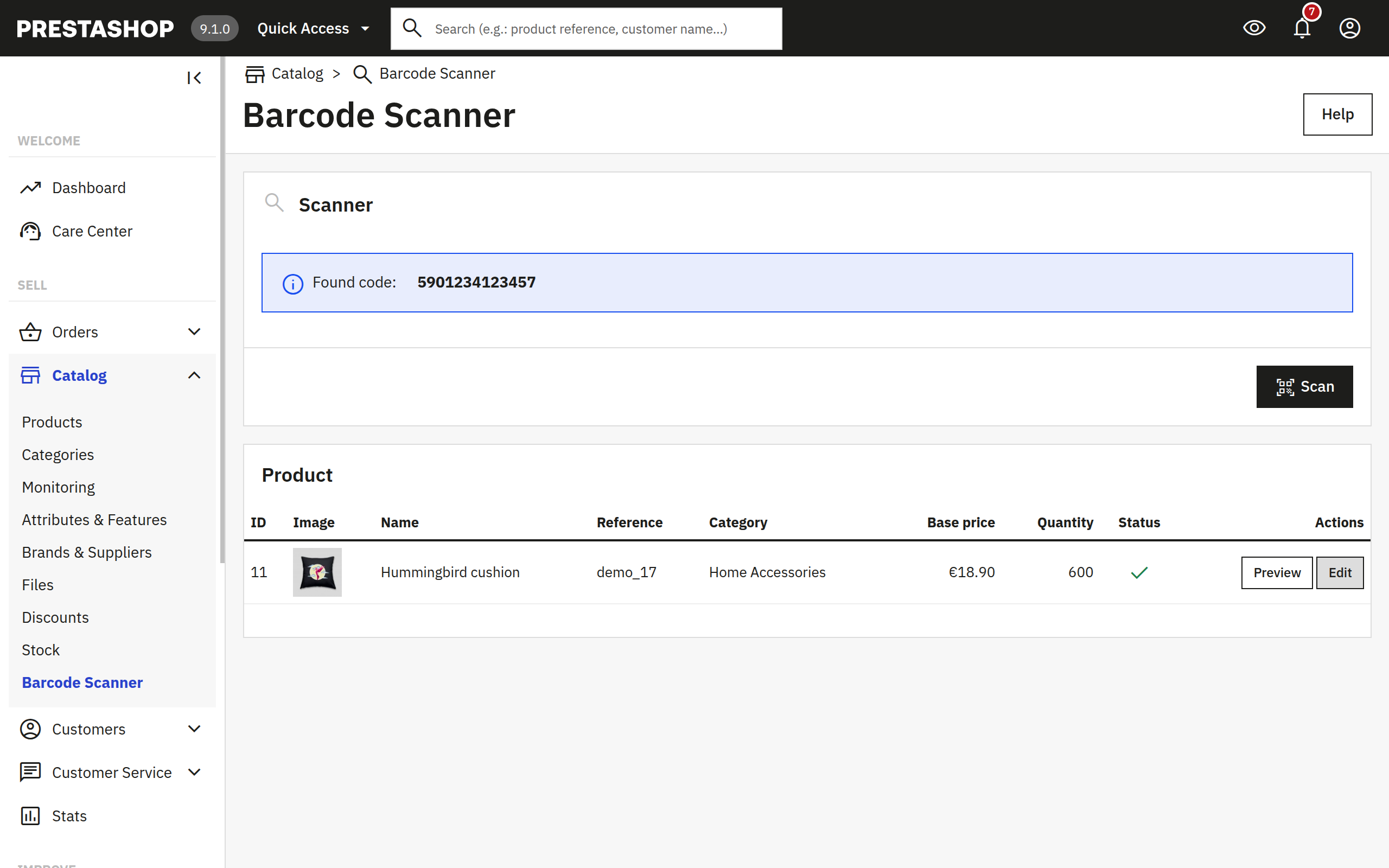
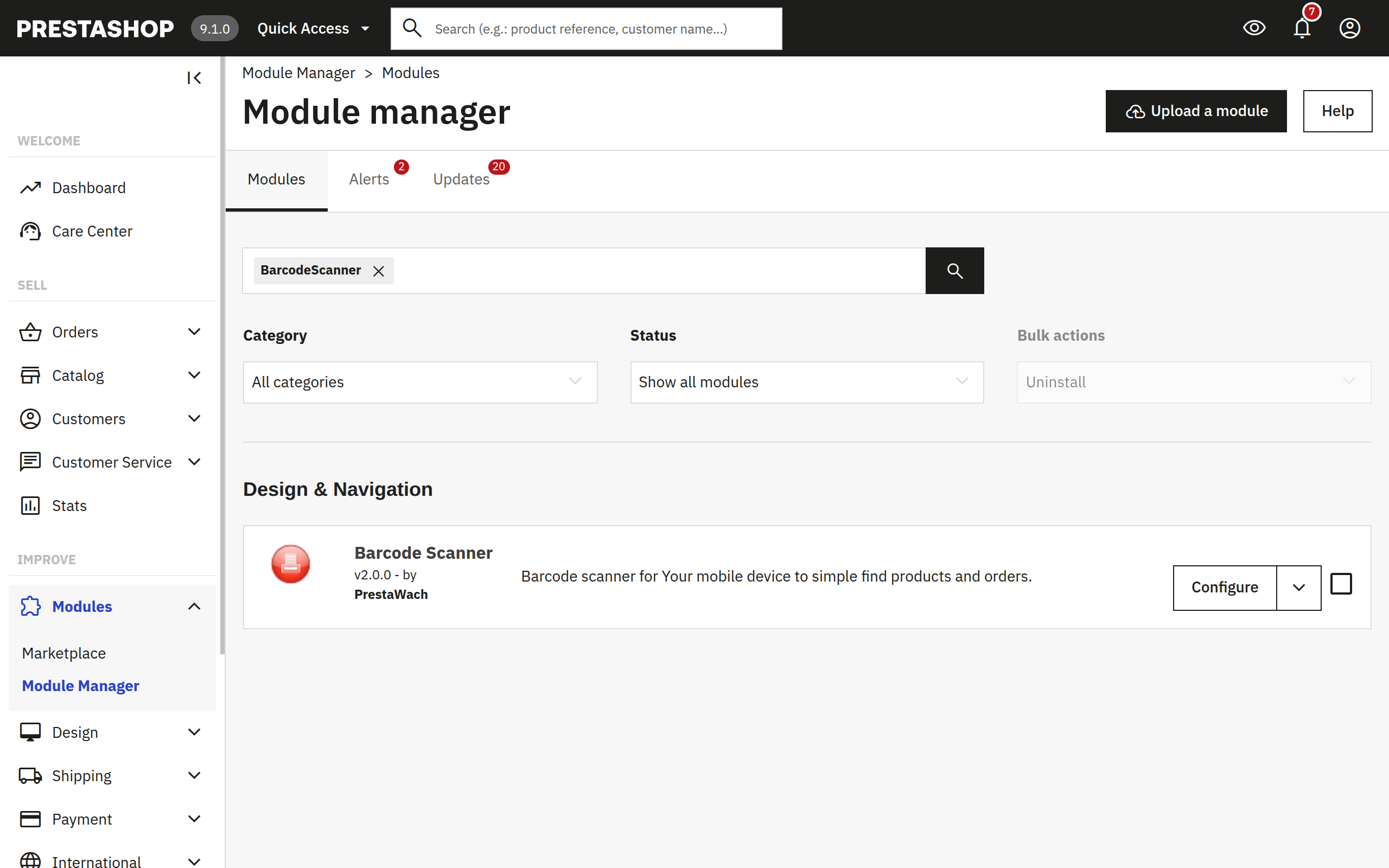
Barcode Scanner turns your phone or tablet camera into an EAN-13 reader inside the PrestaShop back office. Scan a product label to preview or edit the catalog entry. Scan an order barcode to open order details - no manual search, no copy-pasting SKUs.
Features
Open Catalog → Barcode Scanner on a phone or tablet. Grant camera permission once - no separate app or USB hardware required.
Matches barcodes stored on the product or any combination. Results show image, reference, category, price, stock, and active status in one table.
When order IDs are printed as EAN-13 labels, a scan opens the order preview with customer, total, payment method, and status.
Preview the storefront product or jump to the admin edit screen. Order scans open the order detail view - you choose same tab or new tab in Configure.
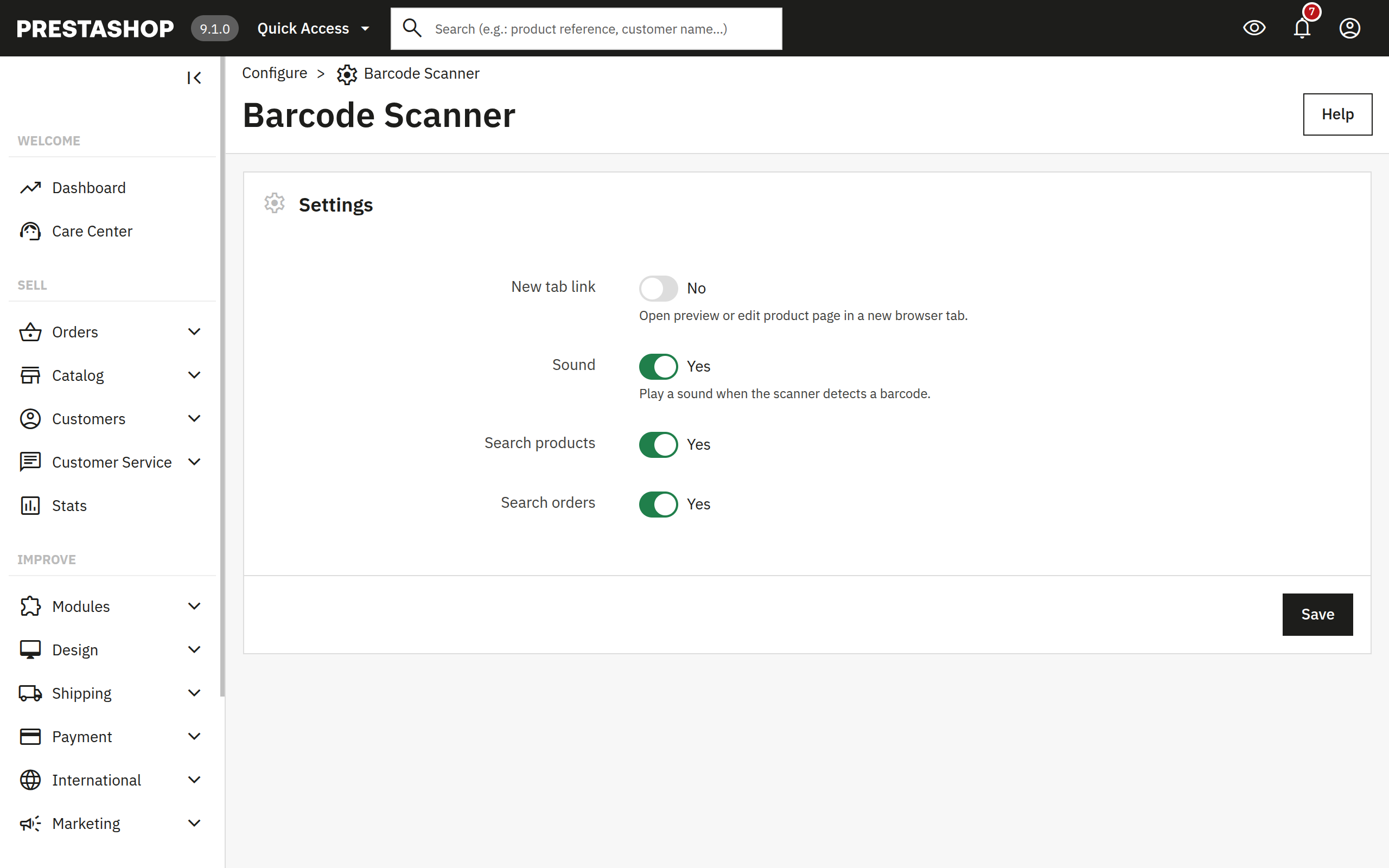
Toggle product search, order search, scan sound, and new-tab links per shop from Configure - four switches, no code deploys.
Modern admin product edit URLs, Symfony Configure, and a responsive scanner UI tested on PrestaShop 8.x and 9.x back offices.
Why Barcode Scanner
PrestaShop's catalog search works at a desk, but warehouse and showroom staff need both hands free. Typing SKUs or order references on a phone keyboard wastes time and invites mistakes when labels are already printed as barcodes.
At a glance
Use cases
Built for staff who already carry a phone on the shop floor - not for replacing your desktop catalog search.
Verify SKU, stock, and active status at the shelf before you pack - scan the box label instead of reading tiny print.
Sales staff scan a hang tag on a tablet to pull price, reference, and storefront preview while talking to a customer.
Printed order barcodes on pick lists or packing slips open the order detail view - no reading reference numbers aloud across a busy counter.
Pricing
Cancel anytime. All features from day one.
per month · cancel anytime
Secure checkout · Instant delivery · EU VAT handled automatically